As some of you might have understood I’ve done some experiments with multirotor helicopters for the last couple of years. Mainly because I think it is extremely interesting what you can do when you combine these machines with cameras. Stuff like this:
And if you want the best images you need to be at the right place at the right time. And for images like this you need to be there with your copter. So the copter needs to be easy to carry.
I wanted to build a FPV quad that I could carry in my ground station case together with my radio and some batteries. I have built several mini-multirotors that fits in that space, but now I wanted to build a bigger quad that should be able to carry a bigger video Tx, gopro and even a Sony RX100.
I ended up building a foldable quad. So far I am very pleased with the result.
I’ve built several multirotors during the last two years. Quad, hexa, Y6, X8, tri, octo. I’ve built in wood, alu, carbon fiber and combinations.
But i like wood. It gives less jello in my recordings because it is slightly flexible so it absorbs some vibrations. And the flexibility also makes sure that it survives a lot of crashes. But it is not too flexible, so it is stable. And it is cheap. And environmentally friendly. Doesn’t block radio signals. Doesn’t transfer current. And it is easy to work with.
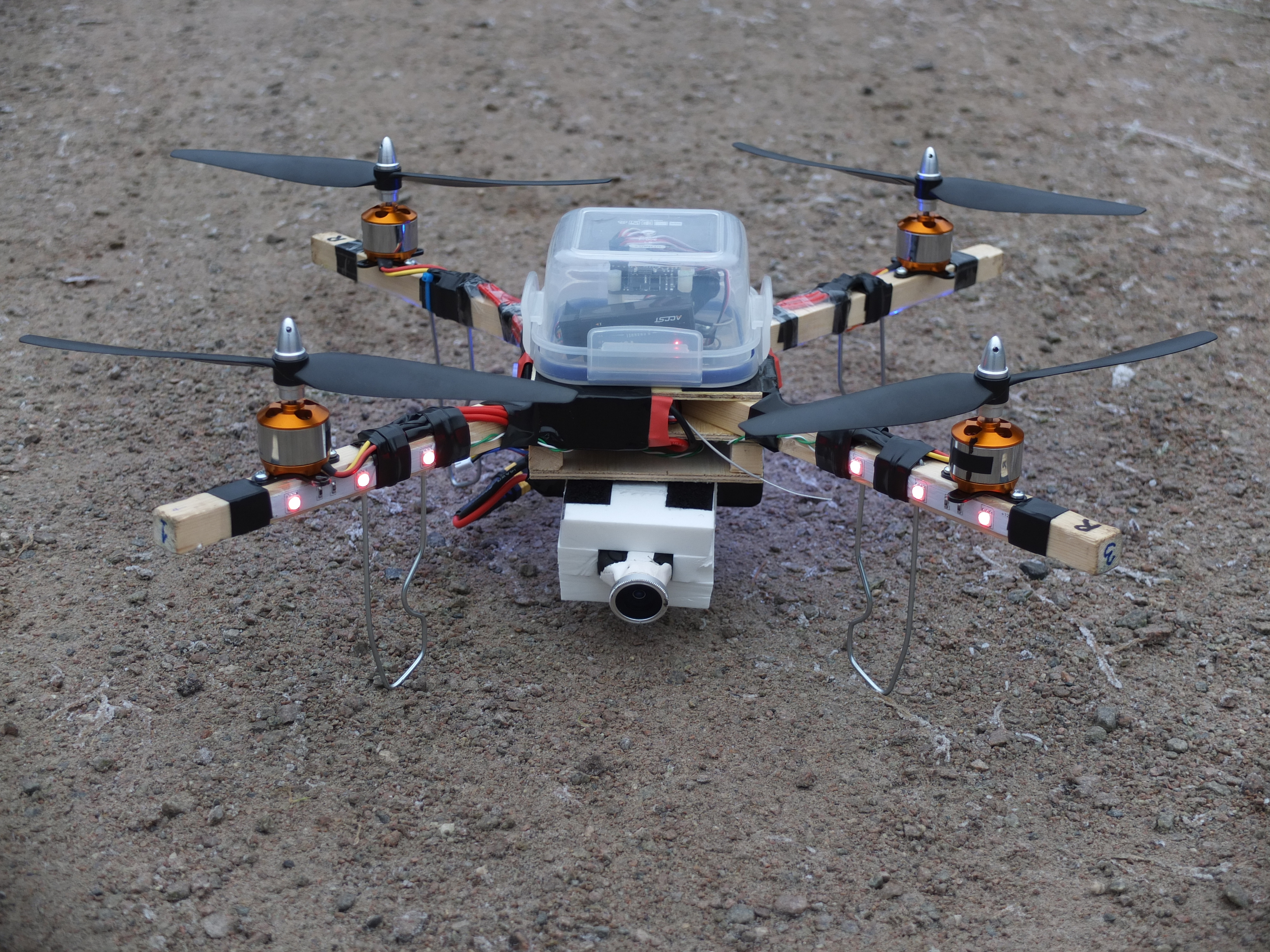
So, here is my wood based foldable quad:
There is a bit of jello in the recordings here. It is 2.7K @ 25p with no ND filter. Will probably get rid of it with some tweaking of the mount.
Update:
First FPV test flights. Now with GoPro Hero2 at 720@50p and a horribly misplaced ND filter. But: absolutely no jello!
The arms are tightened with four screws. Folding and unfolding takes approx 30 seconds.
Spec:
Motors: Sunnysky 2212 980 kv
ESC: HK F30A SimonK
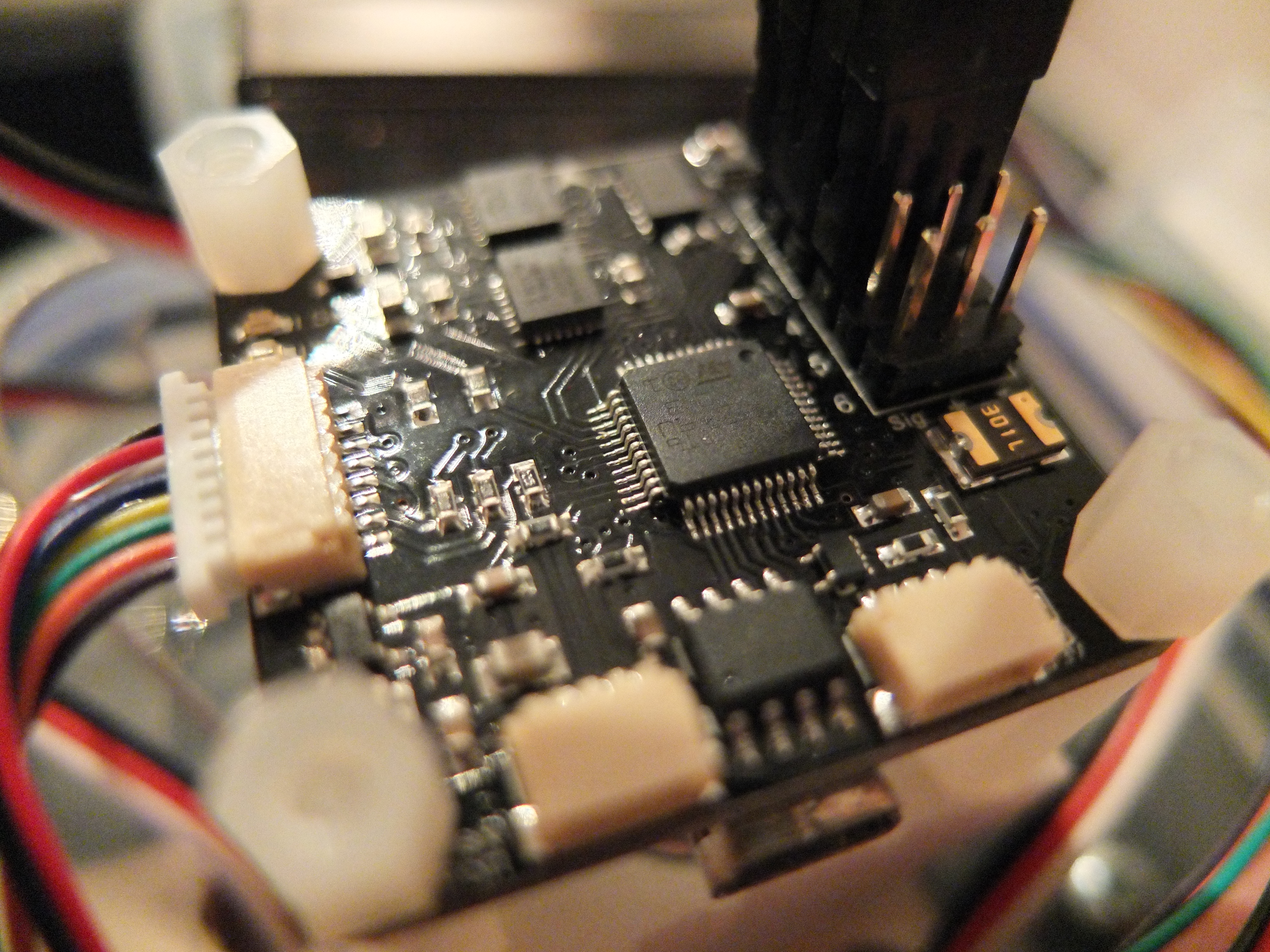
FC: DJI Naza GPS
Props: 8 inch
Motor-to-motor: 58 cm
GoPro mount with Tilt
4S Batteries
First of all. If you want to know what I’m up to next, follow me on twitter: @eirikso
So, I posted this video on YouTube two days ago:
And it have gone completely viral. It was made in a hurry and leaves a lot of things that might need an explanation.
The place and the moose
The video was shot just outside of Oslo. We have a lot of moose roaming around the woods here in Norway. And some of them very close to the city. They’re shy of people, dogs and other living creatures, but are pretty used to the sound of cars, trains, helicopters, planes etc. To see a moose is not very uncommon in Norway.
This moose is probably a 1,5 year old female. She seems more curious than afraid. And we spotted her again from far up in the sky later. Still calmly walking around eating in the same wood.
The technology in general
One of my hobbies for the last year have been to build and fly multirotor helicopters. When I fly them I do it either by flying Line-Of-Sight (LOS) or First Person View (FPV). When flying LOS you simply take off and fly the thing around while watching it from the ground. For quadcopters this limit the range because the copter is symmetric and you loose the orientation pretty fast. However, as I’ve gained experience you start to feel the direction based on speed and the way you control the copter, making it possible to fly further away. I fly LOS when I want to do acrobatics and train accuracy and pilot skills. Here is an example of some acro flying with a very small quadcopter:
But for the video with the moose I fly FPV. Meaning that I have a dedicated camera connected to a video transmitter on board the copter. I feed the video signal into a pair of video goggles and navigate the copter like I was sitting inside it. Based on the video signal. When flying this way I always have spotters beside me that keep an eye on the copter and what is happening on the ground.
In addition to the goggles I have a screen and a digital recorder on the ground station. That recorder also has a mic and records the audio from the spot where we are standing. Ensuring that we got the recording of the quite enthusiastic spotters and my rather nervous comments about battery status and the fact that it is darn difficult to navigate this thing between and under the trees.
The camera
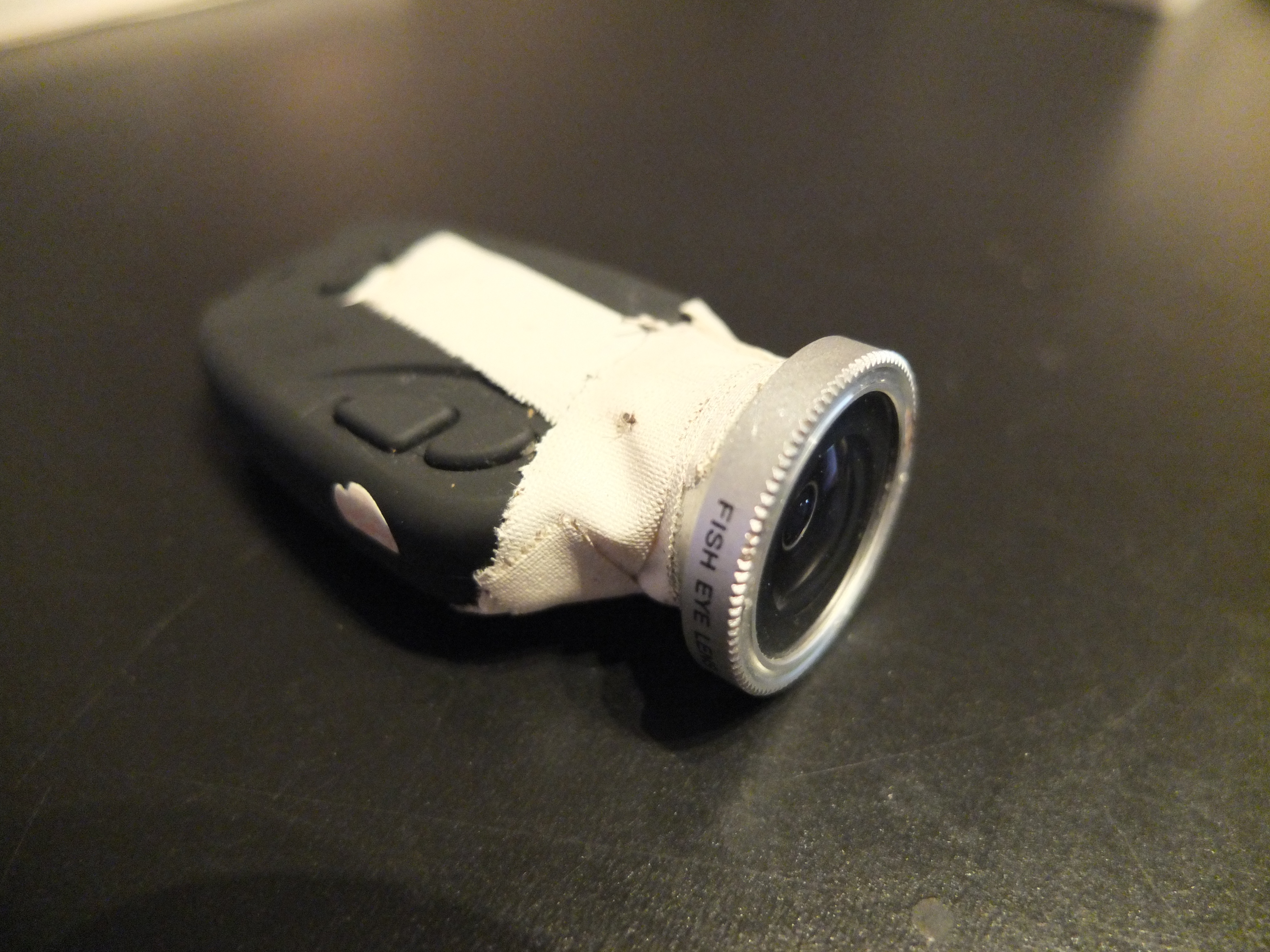
On the copter there is also a GoPro Hero3 to record HD video on board. The video downlink is only SD-quality. In the video I cut to the footage from the DVR at some points to show how it looks from my goggles. Here’s a screen shot from that feed:
You can see the battery status in the top left corner. We spotted the moose at the end of my flight. At 13,2 volts the batteries will be harmed and the copter will descend automatically or simply crash.
Because the HD footage is done in the GoPro on board the copter it was pretty important for us to get it back in one piece. On this copter the GoPro is mounted “naked” without the water proof box. To save weight and make the mounting easier. So I don’t want to crash it in the snow.
The recording in the GoPro is 2,7 K @ 25 FPS. It is slightly stabilised in FCPX and rendered at 1920×1080.
It is a quad rotor helicopter. Based on a X468 frame that makes it possible to wrap it together for easy travelling. It is controlled by a DJI Naza flight controller that has gyros, accelerometer, barometer and GPS to assist the stabilisation of the copter.
I am using an old Futaba 9C remote with FrSky Tx and Rx modules.
After my previous post about the copter I have changed to three blade, nine inch props (9x5x3). They give me less jello and vibrations in my recordings. In general I find it easier to get rid of vibrations with smaller props running at higher speed. So I run the copter on 4S batteries. Usually two 2200 mAh in parallel. That gives me up to 12 minutes flight time with GoPro and FPV equipment. But 12 minutes is with completely new batteries and when I am pushing the limit. Usually I fly around 8 minutes and land when my batteries are close to 14V. In this video I push it all the way down to 13,2 V when I land.
I have also changed the ESCs on the copter. From Turnigy Plush that I mention in the article about the copter to HobbyKing F30A with SimonK-firmware. That change made the copter way more stable.
Sony RX100
I am also flying this copter with a Sony RX100. It is heavier than the GoPro, giving slightly lower flight time. But the RX100 has excellent image stabilisation built in and you get rid of the GoPro fisheye-look. Here is a RX100-video from the same copter and same area.
The dangers
Multirotors can be dangerous. The props are spinning fast. And they might cut your skin if you get too close when they are running. On my copter I have pretty soft and cheap GWS props. They’re not as dangerous as the carbon reinforced props that many people use. But if you are flying high the pure weight of the copter is dangerous if it falls down. And they do. That is why we are flying outside of the city over fields with no people. And always have spotters on the ground when we fly FPV.
The lipo batteries are very powerful. And can explode or catch fire if they are damaged.
In addition to this there are rules regarding remote controlled devices. They are different in different countries. In Norway you can fly up to 400 feet. And you need a special license to be allowed to put a camera on anything that flies.
If you want to to professional AP work you need an extra license from the civil aviation authority.
The fun and the problem
Lots of people immediately say “I want one” when they see how fun this is. And I can really recommend this hobby. But you need to be patient. First of all it is very difficult to fly these things. It has taken hours and hours of training to be able to fly the way I do in this video.
And even more hours fixing the broken copter after crashing. That is why I build them myself from the ground up. For the first couple of months I never returned with empty batteries. I always returned with a broken copter.
To start training I can really recommend this small and harmless copter: WLtoys V929. It is a toy, but it is four channel and is controlles just like the bigger copters. If you learn to fly this thing it will be easier to fly bigger and more dangerous copters.
Total Weight: 577 g (645 when I add my FPV equipment)
Rough price estimate:
6 x Motors: $60,-
6 x ESC: $48,-
Frame: $25,-
Cables and connectors: $10,- Tot: $143,-
Then you need a flight controller. I’m using the rather expensive $240,- Naza. But will fly fine with a much cheaper FC. A rabbit for $90, a Naze32 for $75,- or even a KK for $15,-
Flies 5 minutes on a 1300 mah Turnigy Nano and 8 minutes when I tested it on a 2200 (both tests with the GoPro on board). Will probably get 10 minutes of FPV sight seeing if I remove the GoPro.
The motor mounts didn’t fit, so I had to drill new holes.
And I hate prop savers so I modified the motors to accept collets. The shaft on the motor is 2mm. I simply removed the built in prop saver using brute force…
After balancing the cheap motors and the props I have nice and smooth video and no jello.
Here’s 10 minutes of different clips from my first tests. Raw footage dissolved together. All flying done line of sight:
If you want to snap images or record video from your quadcopter it needs to be as vibration free as possible. When you manage that you get shots like these:
But when you start googling you get the same answer all over:
1. Balance your propellers
2. Balance your motors
But I did that:
And I still had vibrations, blurry stills and jelly-looking video. After a lot of trial and error found the solution.
It doesn’t matter how much you balance your props if they’re the wrong props. You need high quality very stiff props for aerial photography (AP). So, on the same quad, with perfectly balanced props I had lots of vibrations with one set of props and no vibrations with another.
I have had best results with Gaui props and Graupner E-props.
In addition to this I made a dampening system. First I tried to mount the camera directly on a small plate that was mounted on the quad with rubber dampers. That din’t work very well:
(Dampers = red)
Then I made a long extra board under the quad. Mounted it to the quad using four rubber dampeners and mounted both the camera and the battery on that one. Wow! No vibrations with any of my cameras!
(Dampers = red)
Update:
And this is how video looks like if you don’t limit the vibrations.
Now I just need to buy a GoPro HD Hero 2. I’ve already ordered a stabilizing mount.
Cost and flight time
$200,- for the quad (frame, motors, speed controllers etc)
$100,- for the Copter Control Board
$25,- for a 2500 mAh battery giving 10 minutes for flight time
$70,- for a second hand Futaba 8U radio
Build time: approx 10 hours
Time spent learning how this stuff works, learning to fly, waiting for parts from china: don’t know…
Follow me on Twitter if you want to know about my projects before everyone else: @eirikso
Update: the videos I made from the same footage is here.
I’m currently working on a new time lapse project. Not a sort-of-time-lapse. But a true one. To put it short: I’ve had an SLR camera in my window at the same spot for one year. Snapping an image every half hour. Resulting in some pretty nice time lapse videos I’ll post here in a couple of days. But first a still image.
The resolution of the 16 000 images I now have from 2010 are 3888×2592 pixels. So I selected 3888 images snapped during the day. Then I got some generous help from my blog readers and twitter followers. To make a script that would take one line from the first image, the next line from the next image and so on. Jo Christian Oterhals, Nikolai Kristiansen and Aslak Hellesøy provided complete code for the solution.
It shows one whole year. January at the left and December to the right. You can clearly see that we have a pretty long winter and a decent summer here in Oslo, Norway.
The spring and autumn are both quite short.
It would have been nice to make an interactive version of this image. Where you could mouse over and get info on exactly when the image providing the line was taken. And maybe also bring up a thumbnail of the complete image. Maybe I’ll post all the 3888 images and hope that someone will make a solution like that…
Light and timing are some of the most important factors in an image. I have huge amounts of images snapped at the exact same spot. With the exact same focus point and the same f-number. The only thing that have changed is the season and the light. Bringing diversity like this:
I am trying to build a high resolution image that consist of vertical lines from other images.
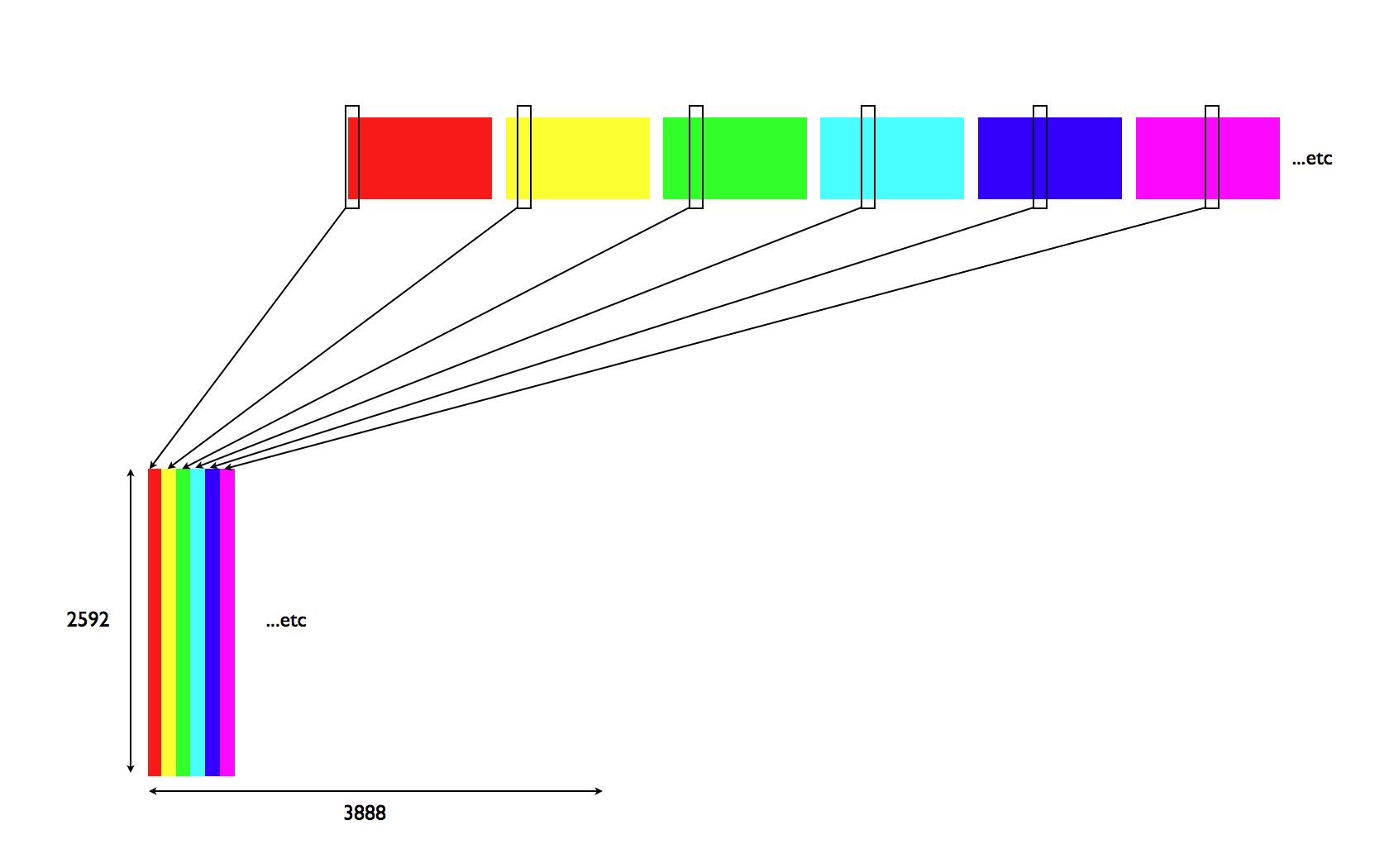
To be exact: I want to build an image that is 3888×2592 pixels. I want to build it using 3888 vertical lines that are 2592 pixels high. I have a folder with 3888 high resolution images and the new image should be build by extracting vertical line number one from the first picture, vertical line number two from the second picture, vertical line number three from the third picture and so on.
Here is a very simple illustration: Click illustration to enlarge.
It would be possible to do this manually in photoshop. Open one image, cut the first column of pixels, paste in a new image and repeat 3888 times… But this is something that would be much easier by automation. Pseudo code:
– Create new image, 3888×2592
For n = 1 to 3888
– Open image number n
– Copy column number n (1×2592 pixels)
– Paste at column number n in new image
Next n
…the problem is that I have no idea what tool to use. Could this be programmed using automator and apple script? Using automation in photoshop? Or do I need to learn xcode and do it the hard way?
Preferably a solution that could be done on a Mac.
And my conclusion is that you probably don’t need DxO.
The licensing
I’m using several professional software packages. Adobe Lightroom, Photoshop, Final Cut Pro, iStopMotion Pro. Elgato Turbo HD, Apple Keynote etc. Pretty expensive and professional software.
I’m working on several different computers. But my main workstations are:
1. My MacBook Pro (on the road)
2. My 24″ iMac (at home)
3. My MacMini (for time consuming batch jobs)
I would guess that laptop + desktop machine is pretty usual. But because I’m working on huge amounts of large files I also use my MacMini from time to time. Simply because that’s the computer that is running 24/7.
And all my professional software is installed on all these computers. I use the same license key on all of them because I never use the computers at the same time.
But this won’t work for DxO. When you buy their 299 Euro Elite license you’re only allowed to install the software on two computers.
I’ve run into trouble several times because of this.
Here is one scenario: installed on iMac and MacBook pro. Then my MacBook pro died. I get a new machine and get a message that I’m not allowed to install on an extra computer. My two installs are already used.
The result is that I have to send an email to DxO and wait for an answer and then after explaining the problem I’m granted access to another install.
Currently I’m running DxO on my laptop and my iMac. A couple of days ago I returned from a holliday and wanted to start a huge batch job of DxO processing on my MacMini. When I tried to install it I got the usual message: not allowed.
I email DxO and explain the problem. I’ve paid for the license. I don’t want to run it on several computers at the same time, but I want to be able to run it on the computer in my house that is running 24/7 so it can do the processing while I’m sleeping. Yes, I could set my iMac to run all night, but that wouldn’t be very environmentally friendly, and it is the MacMini that is placed in our home in a way where it can run all night without disturbing us with noise etc.
In total I had to wait for more than a week for this answer from DxO.:
“Hello Eirik,
Thank you. The license agreement limits installation and activation to two systems at the same time. If you do need a third activation, that will require the purchase of an additional license.
regards,
Jeff
DxO Support Team
DxO Labs”
Well, I don’t have to buy several licenses of Lightroom, Photoshop, Keynote, iStopMotion and all the other packages I use just because I want to install them on the three computers I use.
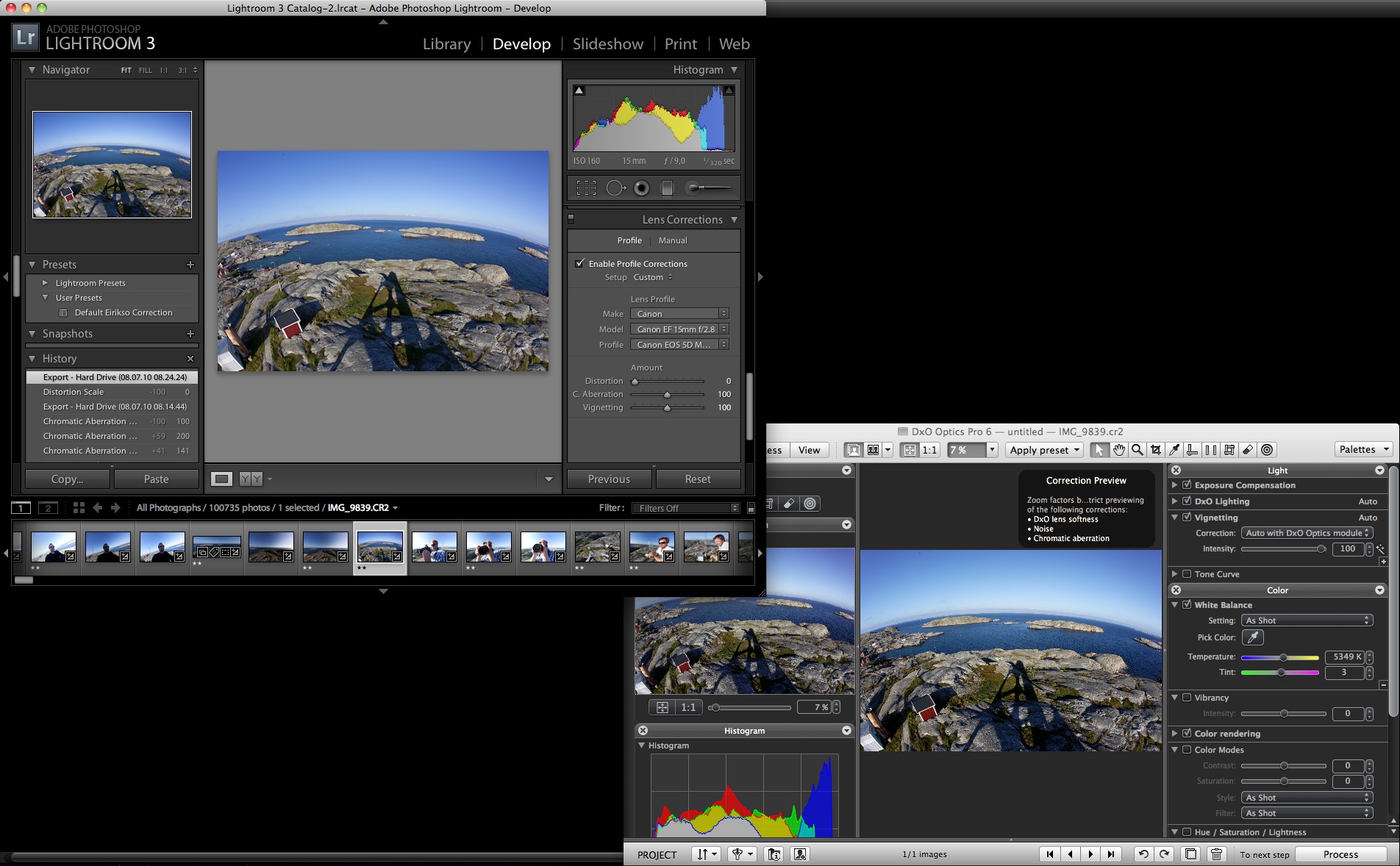
Fortunately the latest version of Lightroom have included lens correction. And my quick tests show that for me, I really don’t need DxO anymore. This is not a scientific test and I really, really hope that the DxO correction is way better than the Lightroom correction. Or, at least 299 Euro worth of pure quality… But for me, the benefits of using Lightroom exceeds the extra hassle and probably slightly better quality of DxO:
– Lightroom doesn’t have that stupid licensing system
– Lightroom is much faster
– Keeping all my work inside of Lightroom gives a much simpler workflow
– For me, the quality is good enough
Here is my quick test. Using a fisheye image shot with my Canon 5D Mark II and my Canon 15mm f2.8 fisheye:
Original image:
Defished with Lightroom:
Defished with DxO:
Comparison from a corner of the image. No defish but all lens corrections (click the image for full size):
Actually, I am honored by the fact that Mitch Joel used my image of Avinash Kaushik in his presentation at Gulltaggen in Oslo today.
I use a lot of CC-images myself and I find it very hard to know exactly how to credit people. In the image? At the end of the presentation?
For this image I had burned in a tiny piece of credit at the bottom. And I feel that I don’t ask for much when I share my images with an attribution-share alike license. I even allow for commercial use. The only thing I ask for in return is some kind of credit. And with the burn-in I kind of suggest how I want that credit for this image…
Not a big deal, but Mitch Joel is an extremely smart guy that just did a very good presentation that I really enjoyed.
And if I wanted to discuss CC and how to credit people I found this to be a good oportunity to do so with a clever person… Personally I find credits inside the presentation distracting. Still, I want to give the artists the honor they deserve. How should we solve this?
And who knows, maybe there was some credits in there somewhere?
Update: As I’ve tried to emphasize in the title and the beginning of this article: I’m completely fine with the fact that Mitch has used my image. And he informs me in the comments here that he has an ending slide with credits. That’s fine. And it’s a solution that I often use myself. I just wanted to start a discussion because I’m not completely sure how to solve this myself when I am presenting. What kind of credit do you expect us to put in?






 eirikso