Actually, I am honored by the fact that Mitch Joel used my image of Avinash Kaushik in his presentation at Gulltaggen in Oslo today.
I use a lot of CC-images myself and I find it very hard to know exactly how to credit people. In the image? At the end of the presentation?
For this image I had burned in a tiny piece of credit at the bottom. And I feel that I don’t ask for much when I share my images with an attribution-share alike license. I even allow for commercial use. The only thing I ask for in return is some kind of credit. And with the burn-in I kind of suggest how I want that credit for this image…
Not a big deal, but Mitch Joel is an extremely smart guy that just did a very good presentation that I really enjoyed.
And if I wanted to discuss CC and how to credit people I found this to be a good oportunity to do so with a clever person… Personally I find credits inside the presentation distracting. Still, I want to give the artists the honor they deserve. How should we solve this?
And who knows, maybe there was some credits in there somewhere?
Update: As I’ve tried to emphasize in the title and the beginning of this article: I’m completely fine with the fact that Mitch has used my image. And he informs me in the comments here that he has an ending slide with credits. That’s fine. And it’s a solution that I often use myself. I just wanted to start a discussion because I’m not completely sure how to solve this myself when I am presenting. What kind of credit do you expect us to put in?
I know that this post is pretty off topic compared to my regular articles about photography, social media and technology. But a lot of people have asked me about this bread and this is where I share my information. And: for my regular readers I have even managed to put in a nice timelapse in the video showing how the bread is made. 🙂
Last year I was attending a lecture on molecular gastronomy. Among other interesting methods Martin Lersch mentioned a bread that didn’t need kneading. For some kind of reason I never tried it but when my friend Jan Omdahl mentioned the same method and told me that it was fantastic I had to try. Because that guy knows what he’s talking about.
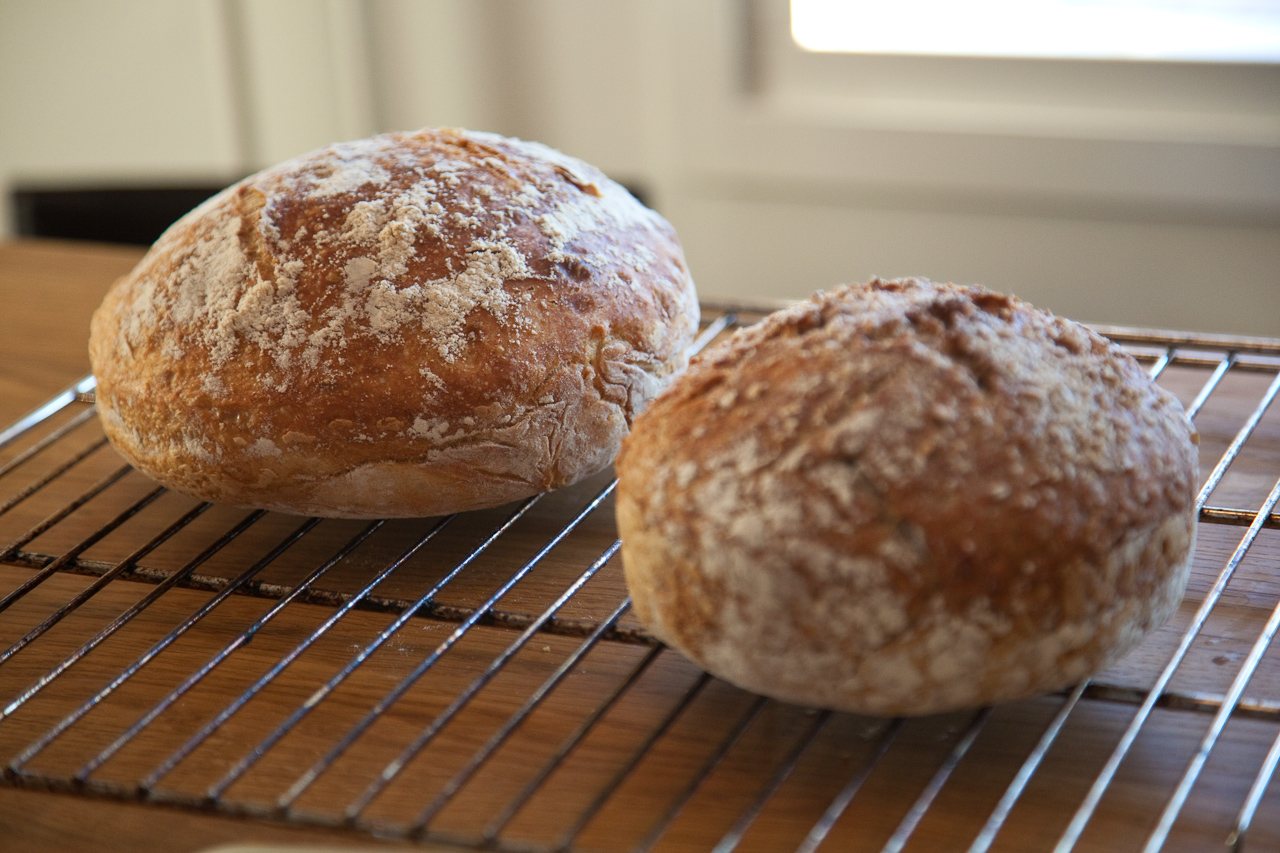
So, I found the recipe and the details. And even the video where Jim Lahey shows how to make fantastic bread. And the good news is that this bread is extremely easy to make. (You find the Norwegian version of the recipe and description here.)
So I made this bread a couple of times and it tastes wonderful. But the method had one step that involved huge amounts of flour on the table and a bit of work. I wanted to make it even easier so that I could make this bread every day. I’ve removed the part where Jim Lahey flips the dough on the table and lets it rest in a towel. The main point here is to stretch the dough and the gluten. I figured that it was possible to stretch the dough in the bowl where I had it in the first place. It’s probably not as effective, but after testing both the original and my own new even easier method on the same recipe I figured it was more than good enough. And it was less hassle and less cleaning.
So this is the recipe I’ve ended up with:
10 oz wheat flour
3,5 oz wholemeal
1/4 ts yeast
1 1/2 ts salt
10 oz water
Depending on your location you might want this one:
300 g wheat flour
100 g wholemeal
1/4 ts yeast
1 1/2 ts salt
300 g water
Combine the flour, yeast and salt. Mix in a bowl. Add water and blend it all together. Cover the bowl with plastic wrap and let it rest for 12-20 hours. Remove the plastic wrap and stretch the dough in the bowl. Cover with a cloth and wait for two more hours. After one and a half hour you warm an iron pot in your owen at 230 degrees celcius (450 fahrenheit). So, when the iron pot has been in the owen for half an hour you’re ready to bake. Throw some flour on top of the dough in the bowl and flip it into the flaming warm pot. Bake in owen with the lid on for 30 minutes. Then remove the lid and bake for 15 minutes more.
But, I figured that the easiest way to show people how it was done was to push record on my video camera while making one of those breads. And of course I had to find some creative commons licensed smooth jazz to give that proper food program feeling…
I’ve experimented with all kinds of flour. From 100% wheat and down to 100 g wheat + 300 g whole meal / wheat bran etc.
Double the amount
No problem. I’ve made a double version of this recipe. I added some minutes to the baking. 10 extra minutes with the lid on and about 10 extra minutes with the lid off. Giving about 40 minutes with the lid on and 25 minutes with the lid off.
Steam oven
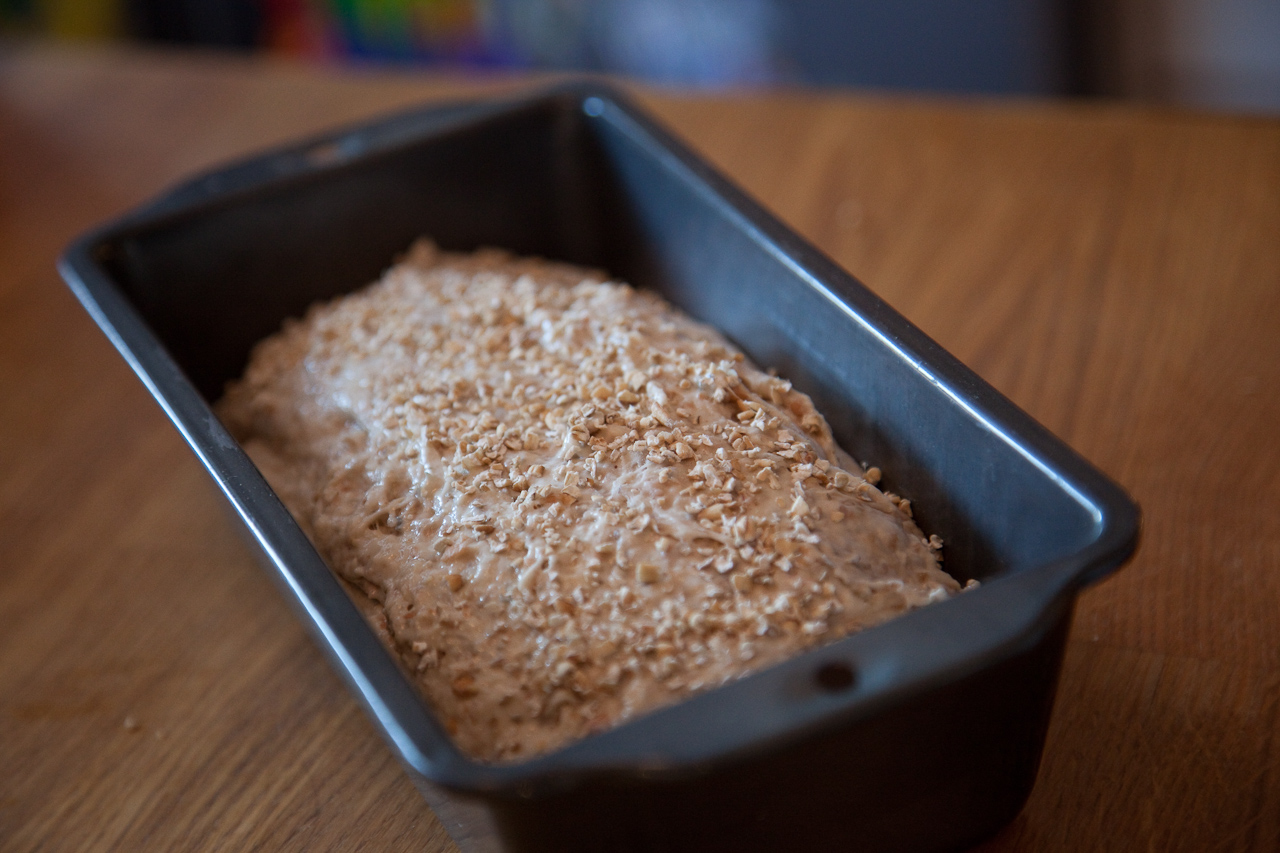
If you’re the lucky owner of a steam oven you can use that to bake the bread. In the steam oven you don’t need to use a hot pot or lid. Bake in a regular bread pan.
Set the oven to 230 degrees Celsius and 30% humidity. Immediately after you have placed the bread in the oven you give it three rounds of steam to fill the oven with humidity. Bake for 16 minutes. Then turn the temperature down to 165 degrees and the humidity to 0%. And bake for 40 more minutes. The steam and humidity gives the bread the same crispness that the method with the hot pot and lid.
If you like these videos then follow me on twitter: @eirikso – and you’ll be the first to know about other projects that I might do.
The story
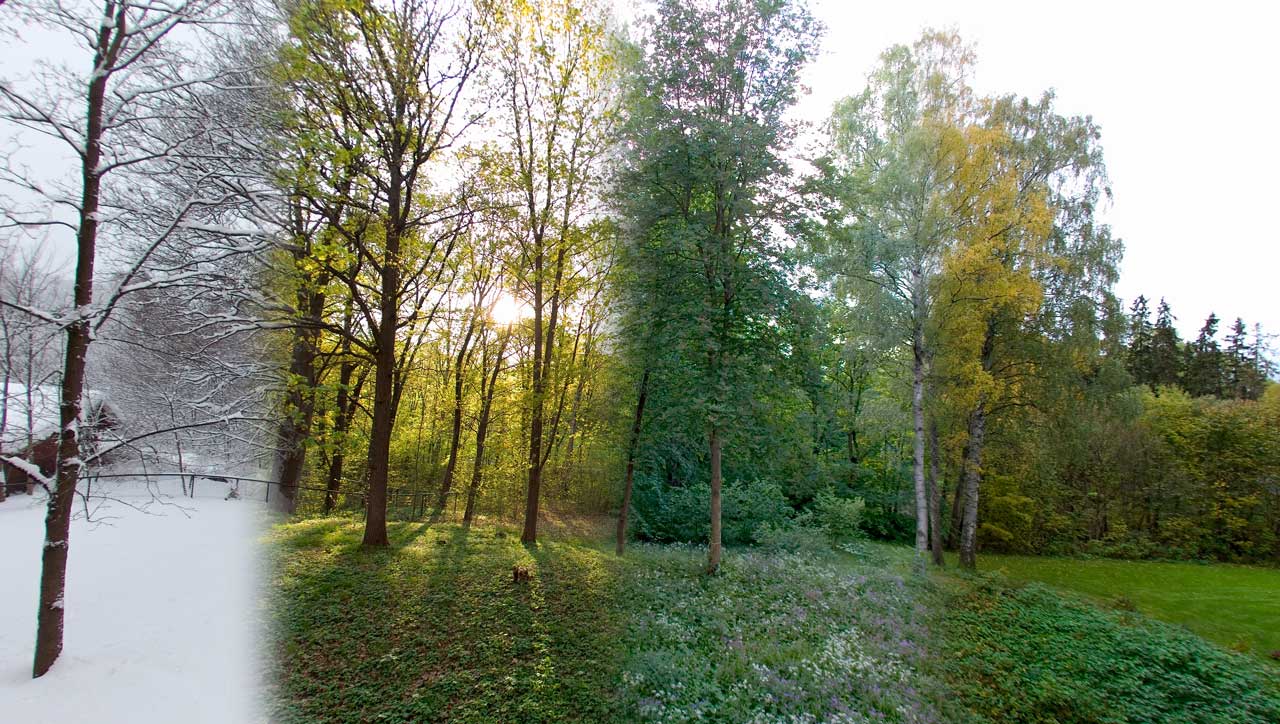
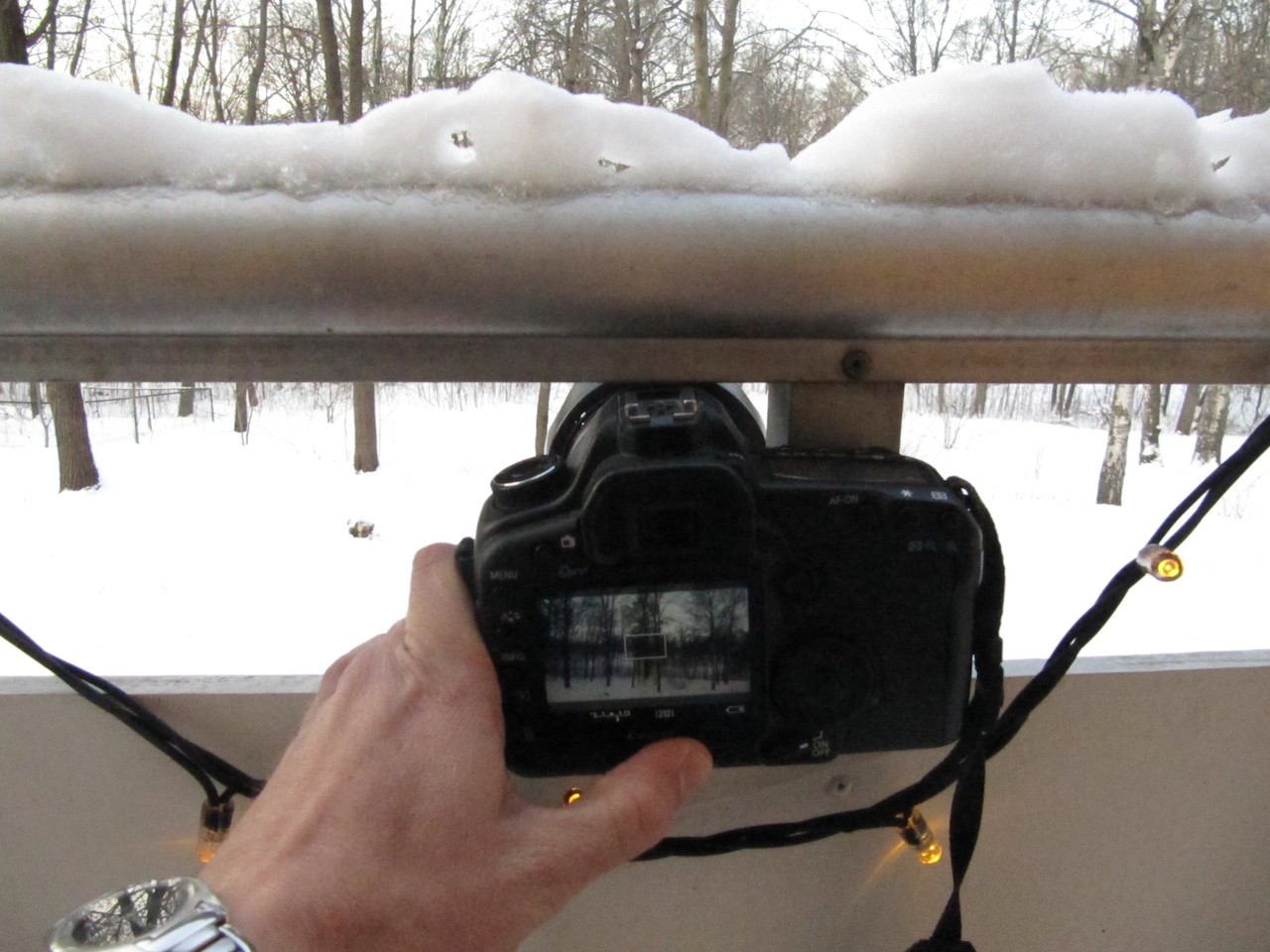
All through 2008 I snapped still images from the same spot on my balcony to make a sort of time lapse video showing one year passing by. The video was hugely successful and has close to two million views on YouTube in addition to about one million on Vimeo and hundreds of thousands of views and downloads from other web sites.
Last year I bought a new camera. The Canon 5D Mark II. In addition to excellent quality stills you can also shoot HD video with that camera. So I decided to do the same thing all over again. But this time I recorded 30 second video clips each time. My idea was that it would be possible to dissolve between the videos to get the same kind of time lapse effect, but this time with motion all the way. Snow falling, wind blowing etc.
2009 is over and I have now put all the clips I recorded through the year into a couple of videos.
I recorded clips with a 15mm fisheye, a 24mm wide angle and a 50mm lens. I’ve made three different versions. The first one is the one at the top of this article. Shot with the 15mm fisheye and “defished” using Fisheye Hemi in Photoshop. To do that I exported the video as an image sequence and did a batch job in Photoshop to run the fisheye hemi filter and some cropping.
The 50mm gives a closer look at the trees and I decided to make a longer video that gives a better view of how nature evolves with that footage. I ended up with 120 seconds.
The way I did it is actually quite simple. I found a spot on my balcony where I could place the camera in the exact same spot each time. Then I recorded video clips at irregular intervals. More or less once a week all thorugh 2009. More often during spring and autumn and not that often during summer and winter. All the videos are then put together using lots of dissolves.
It’s easier to explain the process in a video, so here it is:
If you want to use the video commercially I’ve decided to test a feature called Files Forever. At my hosting company, Dreamhost. You can buy a royalty-free, eirikso.com-bug free, totally clean full quality version of the file. It’s a ridiculous $99,- and the money will cover parts of my hosting fees for this website. Buy the files here:
Yeah. But I want to buy the original footage. The files directly from your 5D. I want to edit this myself. No problem. Please contact me at:
eirikso (at) eirikso (dot) com
Where was this filmed?
In Oslo, Norway
I don’t believe you, this is fake.
If you think the video was made in post production using fancy graphics software… Well, that’s your problem. Not mine.
I want to make something amazing from the raw clips
Contact me, and we’ll see what we can do.
I have other questions
Use the comments, so that I can answer to all the other people with the same questions.
…and by the way: if you’re into geocaching I’ve actually placed a cache in the area you see in the videos.
So I finally decided to fire away an order and get myself some nice business cards from Moo.com.
And even if you don’t want to order anything you should try their service simply to learn something about usability and customer communication. Fantastic company.
The cards are high quality prints of some of my Flickr-images.
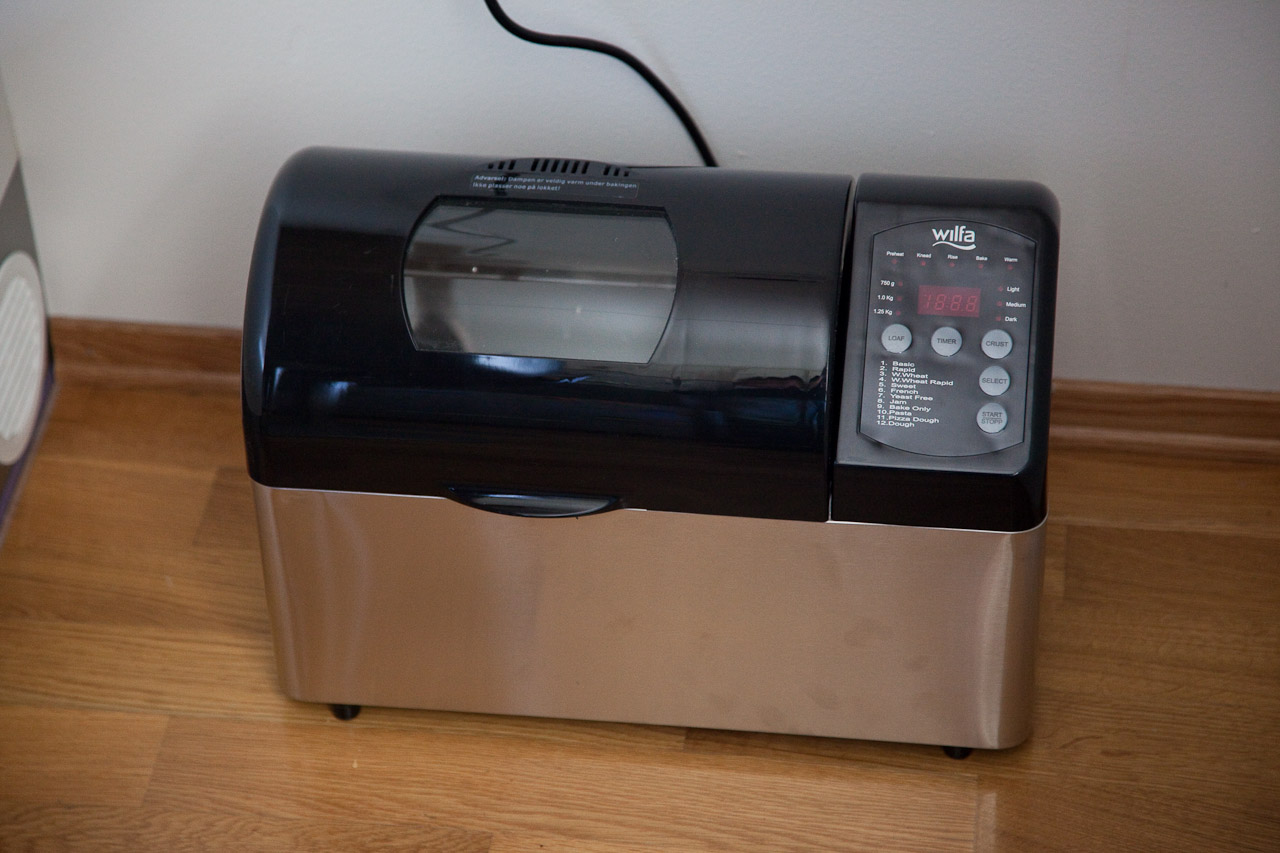
Recently we bought a new bread baking machine. The kind of device that you program in the evening so that it makes your bread during the night while you sleep.
But our new Wilfa BM-25s had one huge design flaw. To indicate the point where you can add extra ingredients in the baking cycle the Wilfa engineers found it appropriate to use a screaming loud beeper. Beeping 20 times or something. Even when placing the machine far away from where we sleep it woke us up during the night. And, it’s not possible to turn it off.
So I decided the Wilfa needed some circuit bending. Yeah, voiding the warranty.
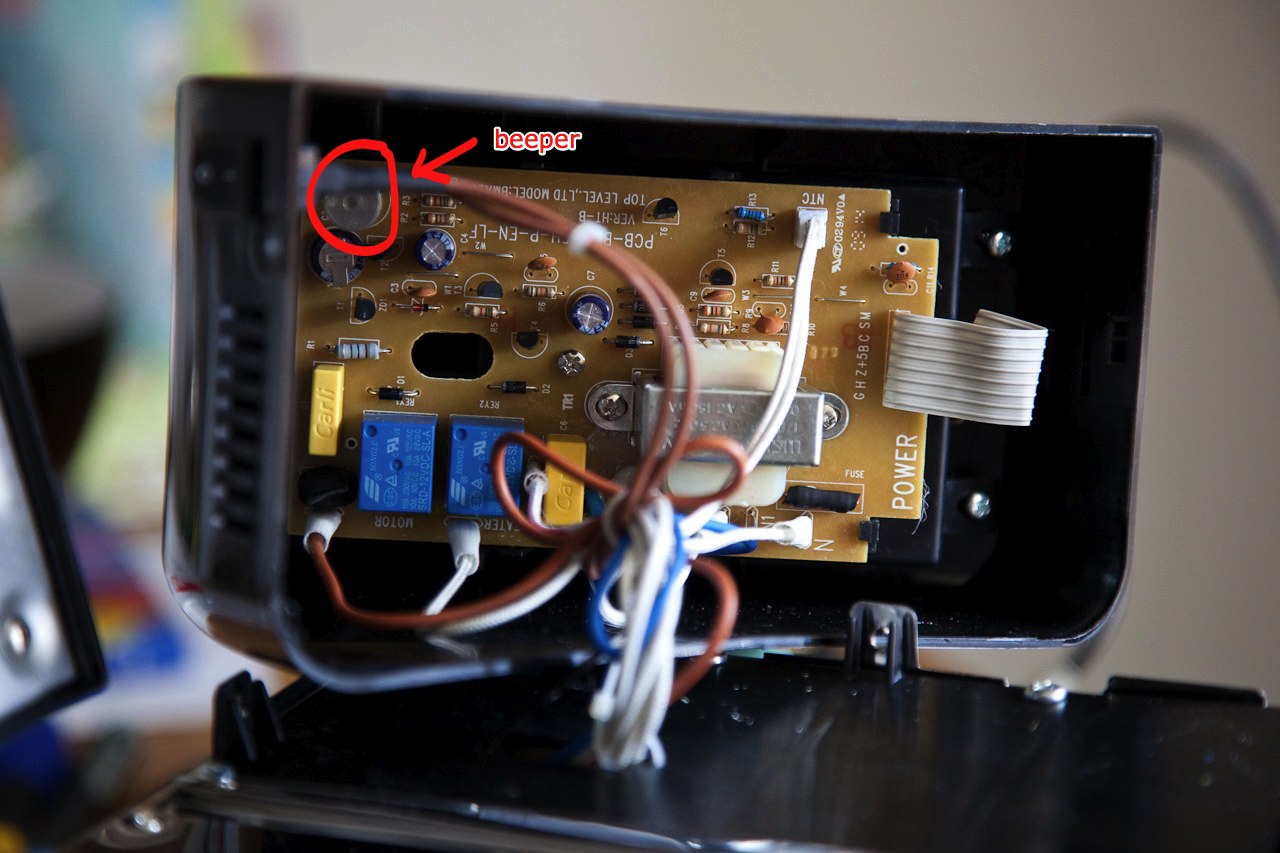
Fortunately it was very easy to open. And I could see the beeper right away. I did some tests and ended up using a 1.8 kohm resistor to decrease the audio level. Making the machine going from screaming loud to a subtle beep.
The only thing you have to do is to locate the beeper, use a soldering iron to remove it and place the resistor on one of the pins.
The video simply shows the result. I short cut the resistor with a pair of pliers to show the original audio and remove it to show the very subtle and low audio after the resistor was added.
You can use the same method on most annoying toys and devices.
Warning: Messing with high voltage equipment can be dangerous. And messing with equipment in general will void the warranty and you can end up destroying it. I take no responsibility if you destroy your equipment or yourself…
We’ve had 30 degrees Celsius and fantastic weather for the last couple of weeks. But today we had the most serious thunderstorm I’ve seen so far in the five years we’ve been living in this flat. A couple of minutes later and I have learned that my 5D Mark II survives huge amounts of rain. And it is capable of capturing lightning in HD…
At the end of the video I helped the storm stopping using a simple dissolve…
I recently visited New York to attend the Open Video Conference. I was invited to take part of a panel discussing Public Media, Open Content, and Sustainability. But I also did a presentation during a session of lightning talks.
I had 7 minutes giving an example from one of the Norwegian Broadcasting Corporation’s experiments using YouTube and added some general thoughts on why we need to be the best provider of our content.
If you have attended any of my presentations during the last year or so this is known material. With only 7 minutes available I decided to put together some proven and tested stories. The story of Heinrich Stammler and a quick use of my now pretty well known image of a certain park in Oslo.
The Open Video Conference was an excellent event with lots of interesting sessions and huge amounts of brilliant people. They’re in the process of making everything available at the OVC web site.
As part of some experiments I’m running I snapped more or less the same image with all the cameras available to me today. The devices you see in the image above in addition to my 5D Mark II (that I used to snap that image…). Simply because I wanted to be able to compare some details.
And my conclusion? Once you go full frame you never go back. If I’m shooting anything even remotely serious I’ll bring my 5D2. Now if someone could give me a full frame digital compact with the size and weight of my old analog (and indeed full frame) Olympus XA…
By clicking on the image you get through to flickr where you can have a look at the original full size image.










 eirikso