And if you dare, you might want to have a look at this version as well.
I’m also working on a couple of articles about my experience around having a video roam around the internet. With millions of views and thousands of comments. I’ll give you statistics, and helpful advice on what to do and what not to do.
I just updated the firmware on my new 5D Mark II. The firmware is the operating system in my camera. The software that decides how the menus on the screen should look, what the buttons do, and basically everything about how my camera handles the data from the CMOS that sits in there, collecting light when I snap images.
I didn’t get any extra functionality, but two issues that I never had problems with are now fixed.
Yes, it works fine. But we want more functionality. We want 25p and manual controls for video recording. And in this world of software it is possible for people to make that functionality. For you. For free. Either by hacking the whole camera. Or if you provided an API. Or even better, if you simply published the development tools and software.
Your revenue is based on selling excellent cameras and excellent lenses. And I guess Nikon and your other competitors have hacked and examined your firmware in detail already.
Open your firmware and you’ll see 25p on the 5D MkII before you can say “development kit”. And you’ll see all kinds of stuff that you and your competitors never thought of.
And because I’ve made the links in this article pretty non-explaining I’ll repeat the link to CHDK as well! A very interesting project that already has enhanced the Canon firmware on a couple of cameras.
Tilt-shift miniature faking has been around for a while. But I hadn’t seen Tiltshiftmaker before. And decided to give it a go. It’s a web site where you can upload an image or give it the URL of an image. Then it adds a simple blur effect and adjust the color to make the illusion of a miniature model. Works pretty good.
The miniature:
The original:
Pretty cool.
And by the way. The image is from Ljubljana in Slovenia. Fantastic city.
So far the video has been viewed 1,087,240 times on YouTube. 10,312 ratings and 9,579 comments. On Vimeo it has 314,193 views. It has been aired at ABC in San Francisco and been featured on countless web sites and blogs. I’ll get back to the details about that video later. I’m learning a lot by following how it spreads through the net, what people comment about, how people use it an so on. Tuesday 30th was most busy. Giving 28,350 page views and 20,708 unique visitors to this blog. I cranked my Dreamhost PS up to 4 GB RAM for this period of time and it handled the traffic fine.
Wrapping up 2008 on eirikso.com. 252,828 Absolute Unique Visitors spending 1 minute and 40 seconds in average on my site. Since I started using Statcounter back in 2005 a whopping 2,090,757 people have visited eirikso. And according to Google Analytics this is my most popular articles in 2008 (you find the 2008 page views in parentheses):
So far I’ve made two videos of the images I describe in this article. The one here at the top and another two minutes version. Read on to learn how I did this, to see the other video and to download the videos and images in high quality. And if you want to watch this video here at the top in HD quality you have to click through to Vimeo.
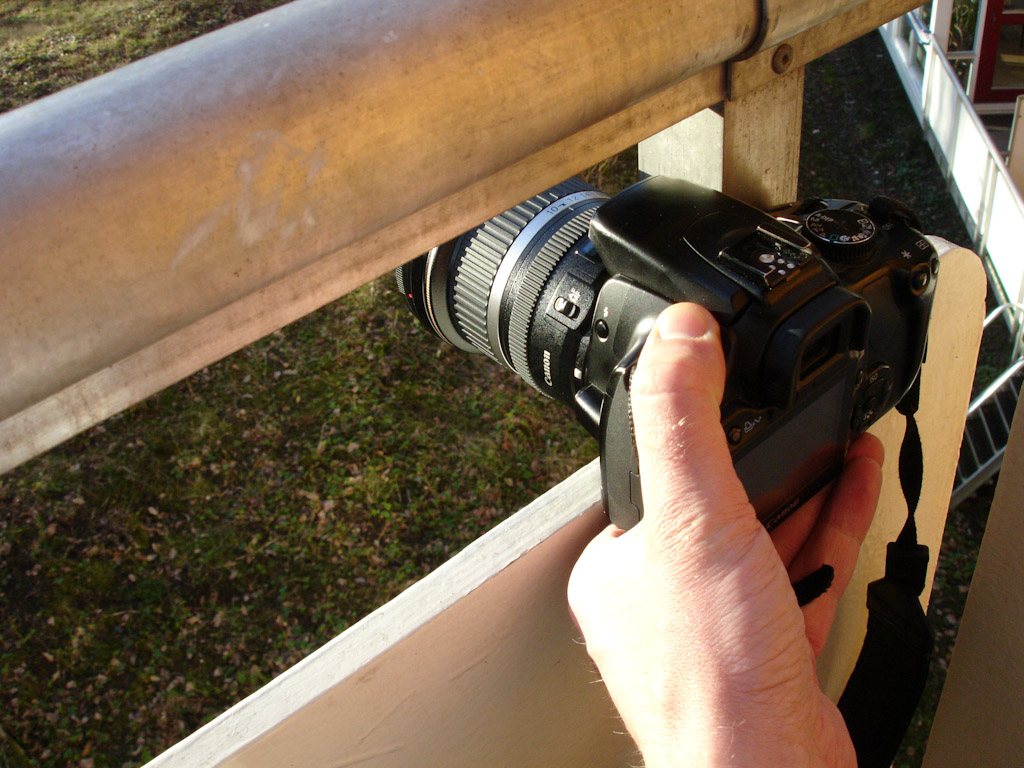
So I started shooting images with my Canon 400D. From the same spot each time, but not through my window. I found a spot outside that gave more or less the same framing each time I placed my camera. So, I went out on our balcony snapping some images at pretty irregular intervals all through 2008 .
All images shot in RAW. The three exposures where: normal, +2 EV and -2 EV.
In addition to the images I decided to record some audio at the same place. Using my Canon S2 IS and my Canon HF10 I recorded simple background sounds trough 2008 as well. Not with exact connections to each image. More with a focus on getting audio from winter, spring, summer and autumn.
All together giving me a pretty decent range of material to put together some experiments.
At the top of this article you find a 40 second version that show one year. Using the 10mm wide angle images. Right above you find a two minute version made from the 55mm zoomed in images.
First I used Photomatix to make HDR images of the ones I decided to use. Mostly because the HDR effect makes the images flat so that the difference in light and shadows won’t disturb the transitions in my video.
Then I used Photoshop to align all the images. Placing the camera manually at the same spot each time won’t give the exact same spot. So I needed some fine adjustment. Photoshop does this. Here’s how:
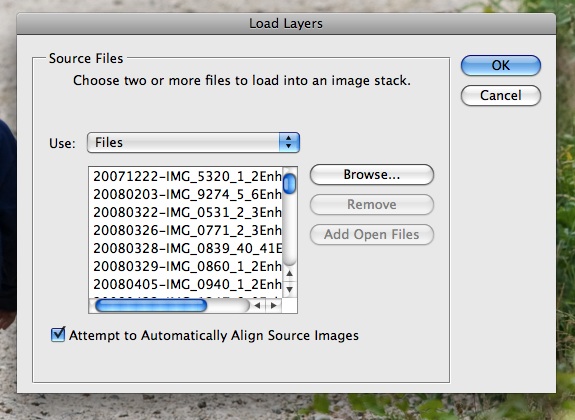
First load the images you have chosen into layers by using “File->Scripts->Load files into stack“
When you have found all your files make sure to check “Attempt to automatically align…“
Give your computer huge amounts of time and get back when it has finished. Now Photoshop has adjusted all the images and put them on separate layers in one file. The next thing you have to do is to crop the image. Because of the adjustments the images are not the exact same size. A crop will do the trick.
When the computer is done cropping you export the layers to files. “File->Scripts->Export Layers to files“
Now you have a folder with a bunch of images with the same framing. I decided to do simple dissolves between them.
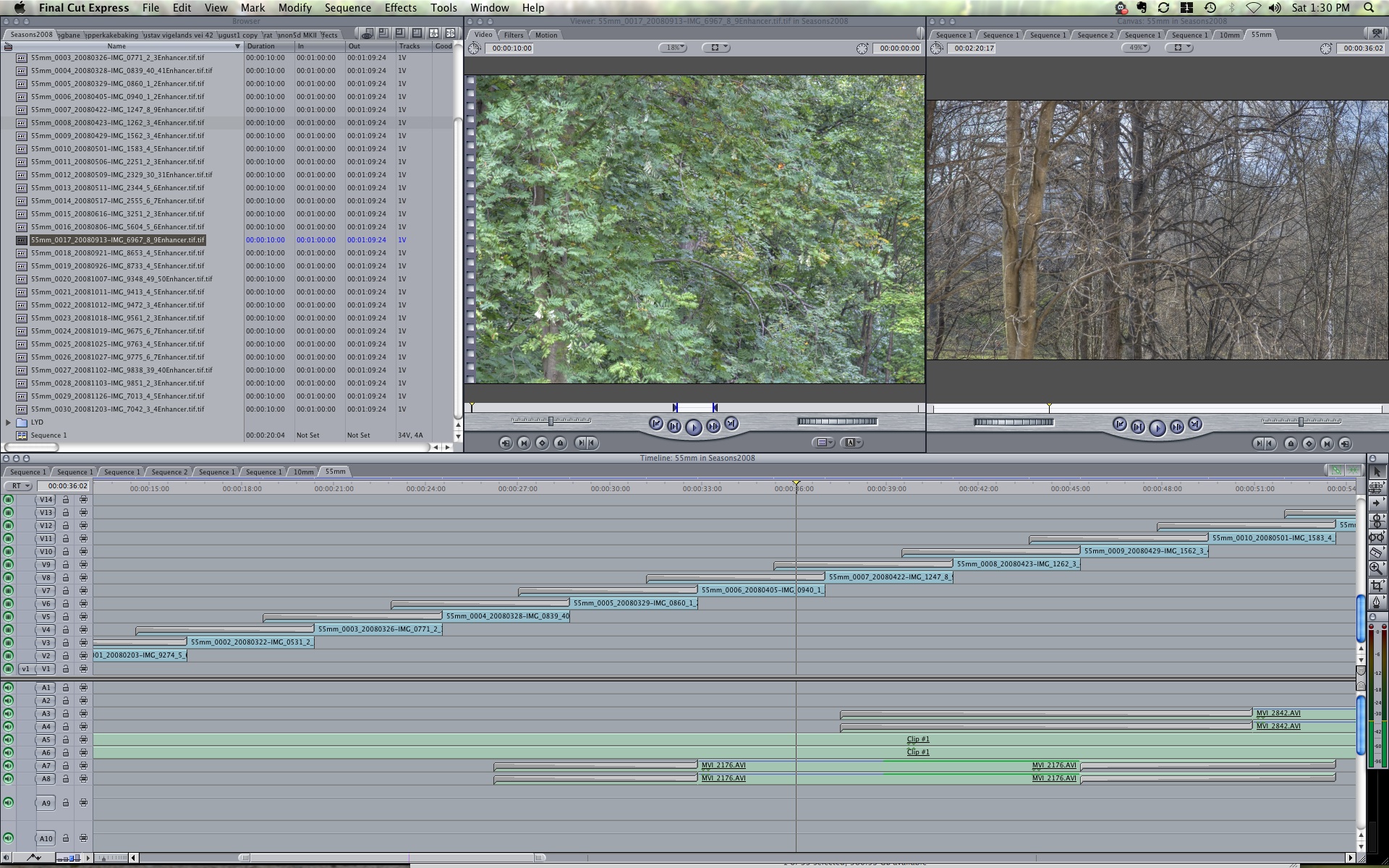
And ended up with a project in Final Cut Express that looked like the image above. I didn’t want one dissolve at a time. I wanted to make some kind of flow where one dissolve is taken over by the new one before it is finished. As you can see from the timeline my dissolves overlap.
The free downloads
First of all: please comment here or contact me if you use the images. I’ll link to all cool projects made from these files!
For commercial use please contact me. Or you can simply buy non exclusive royalty free use by purchasing the full quality file here: OneYear40seconds1920x1080.30p.H264.mp4
It’s $99,- and the money will be spent on hosting for my projects.
For commercial use of the full quality non branded still images you can buy the complete package of high resolution stills here: EiriksoStills.zip
But I know what I’m doing and want the full resolution RAW files to make something really cool!
Please comment here or contact me and I’ll provide you with what you want. RAW files, video footage, more audio from the same spot etc…
Whats’s next?
Eh. Well. I just upgraded my camera to a Canon 5D Mark II. Giving me a possibility of getting even higher quality footage from this nice view of some trees… Guess I’ll snap some images on my balcony through 2009 as well. 🙂
So now you know. That’s the difference between these different lenses on a Canon 5D MkII fullframe camera. And if you don’t like the distortion of the fisheye you can remove it.
In some images you want the fisheye distortion, but in other images you might want to remove it.
And there are several applications that can help you with that. Regardless of what fisheye you’re using.
The most common way to remove the distortion is to squeeze the image in the middle. Something like what PTlens will do for you. In addition you can adjust perspective, rotation and a couple of other settings.
But this leaves you with an image that has to be cropped and if there are people along the edges of the image they will look very distorted.
Another program called Fisheye Hemi aim to fix that problem. And will try to remove the fisheye distortion using advanced algorithms to keep as much as possible and do the adjustments but keeping people and other details in the image without distortion.
I’ve made a simple flash animation to show the different images. Click the buttons below the image to change from original, to the one corrected with fisheye hemi to the one corrected with PTlens.
There are a lot of programs that is made to help you adjust lens distortions. I’ve also tried DxO, but simply found it too difficult to use. For people using Windows I’ve heard positive remarks of RectFish.
Please leave a comment if you have a favourite that I haven’t mentioned.
I do quite a bit of traveling and I am dependent on a way to work while on the road. Thanks to a 3G/Edge USB-stick for my MacBook I have some kind of internet connection most places. But I really prefer WLAN. And because I usually empty the battery of my MacBook on the plane/train/bus-ride to my destination I also like to find a spot with a power outlet.
And if you find yourself in Stavanger, Norway at some point I have a spot for you. First of all: Stavanger is pretty well covered with free public WLAN. Good city! And among all the nice restaurants and cafes I found a nice spot at “Godt Brød”:
Godt Brød Stavanger AS avd Utsalg
Sølvberggata 9
4006 Stavanger
Tel: +47 51844080
The table by the door. Covered well by the free public WIFI. A power outlet near by. Good coffee, good food. Well, with a couple of minutes off while traveling I don’t need more than that.
First of all: my entry into visualization using Flash in my last article was less than perfect. Mainly because I didn’t shoot every image in my sequence with the same aperture. Meaning that the background changed because the depth of field change.
So, I’ve made a new ISO-test of the 5D Mk II. Slightly better. At least the aperture stayed at 5.6 at all ISO values. The flash file is big, and I’ve not made any kind of download indicator. So when you click the link you need some patience while the page load.
But what about that aperture stuff? Did you say depth of field? Yes. When you change that thing called aperture on your camera things happen to your image. To put it short: a low value, like 1.4 gives more blur in your image. A high value, like 22 gives less blur. The detail that you focus on will stay sharp, but the amount of detail around that point change.
Huh? Exactly. This is easier to show with an image. Or, actually several images. In an animation like the ISO-experiment. Where you can click the row of f-numbers at the bottom and see the image change. And it’s the same as with the ISO-animation. When you click the link you have to wait a while for the page to load.
But hey! I can also adjust something called “shutter speed”. Yes, in addition to ISO and aperture the shutter speed adjust the amount of light you will let in at the CMOS- or CCD-chip. And the effect on the image? A long shutter speed gives motion blur. And if you are shooting without a tripod or something to support your camera a long shutter speed mostly means a completely blurred image.
To show the difference that the shutter speed makes I did the test again. With a train moving in the image. So now you can see the effect of both the shutter speed and the aperture. And you know what? When you click the link you need patience. Let the page load…
These are zipped archives of the images. And please let me know in the comments if you use these images. They’re licensed under a creative commons license.
People keeps asking about test images to show the low light performance of my new Canon 5D Mark II. So far I find it pretty amazing. The image above is a comparison of my old 400D at iso 1600 and the new 5D at iso 1600. Both images shot in RAW and converted with Canon DPP.
Because the 5D looks so good at iso 1600 I also did the same with the 5D at iso 6400.
In addition to this I have put together a flash animation that shows you the same image at different ISO values. You can click the image to browse through the different values, or choose directly with the buttons.
The example embedded here is small and doesn’t really show the images very well. If you have some patience and wait for the loading, I have also published a bigger version. And no, I’ve not made any fancy “loading-animation”. You just have to wait for the page to finish. And I know: Not very smart to let the camera change the aperture. Apart from the fact that it gives a nice demonstration of how the depth of field change…







 eirikso